From a few sentences to a real website
Tell StanPress about your business. It designs, writes and builds a WordPress site around you — you watch it happen, then preview it free. Pay only when you're ready to go live.
For illustration: real sites StanPress built, each shown stage by stage and sped up.
The brief
“A neighbourhood café and sourdough bakery on Agricola Street in Halifax's North End… Everything is baked overnight in a wood-fired deck oven: country loaves, rye, cardamom buns, seasonal galettes with Annapolis Valley fruit… The owners are a married couple, one a former pastry chef from Montréal, and they want the site to read like the café feels: warm, a little scrappy, honest about prices. A pre-order form for weekend loaves and holiday pies is the one thing the site must do well; the rest is menu, hours, wholesale inquiries, and the story.
Style: …the wood oven and the morning light are the brand.”
“A small wildlife tour company in Tofino, on the west coast of Vancouver Island, running whale watching in covered and open Zodiac boats from March to October, bear watching along the inlet shorelines at low tide from April to October, and hot springs day trips by boat… Gray whales feed in the sound in spring, humpbacks all summer, and orcas pass through often enough to be a real hope but never a promise, and the site should say that plainly. Groups are capped at twelve per boat. Guides are marine biologists or long-time locals… Bookings run by departure time online, with a free rebooking when weather cancels.”
“A flower studio in Saskatoon's Riversdale doing daily bouquets, weekly subscriptions for offices and restaurants, and about 40 weddings a season. Loose, garden-style arrangements with as much Saskatchewan-grown product as the short season allows — peonies in June, dahlias through September, dried grasses all winter. Same-day delivery across the city ordered by 1pm… Wedding work starts at $2,500 and is booked through a consultation… She wants the site to sell bouquets online, show wedding work, and make subscriptions feel like the easy, generous thing they are. Product photography will be generated; the brand is soft but not precious.”
“A family-run northern-Italian osteria in Calgary's Inglewood neighbourhood. Fresh pasta rolled every morning… a wood-fired oven for bread and Sunday roasts, a 60-bottle Italian wine list weighted to Emilia-Romagna and Piedmont, and recipes from the owner's grandmother in Bologna… A warm, candle-lit room that seats 42, a six-seat bar, popular for date nights and family Sunday lunch; a set-price Sunday pranzo and a monthly pasta-making class that sells out… a Calgary Herald ‘best pasta’ pick three years running. The site needs the menu with prices, hours, reservations, the class booking, and the family story told with the food photography doing the work.”
“A licensed, play-based preschool and daycare in Surrey, BC, with 48 spaces across infant, toddler and 3-to-5 rooms, open 7am to 6pm. Reggio-inspired classrooms, a fenced outdoor play yard with a mud kitchen and a garden the children plant, daily photo updates to parents through an app, and hot lunches cooked on site… Fees follow the BC $10-a-day program in two rooms and provincial fee-reduction elsewhere. There is a waitlist, so the site's job is a clear waitlist form, a tour request, an honest fees page, and a feeling of safety and warmth for parents making a hard decision.
Style: Warm and playful without primary-colour clip-art…”
-
1
Tell us about your business
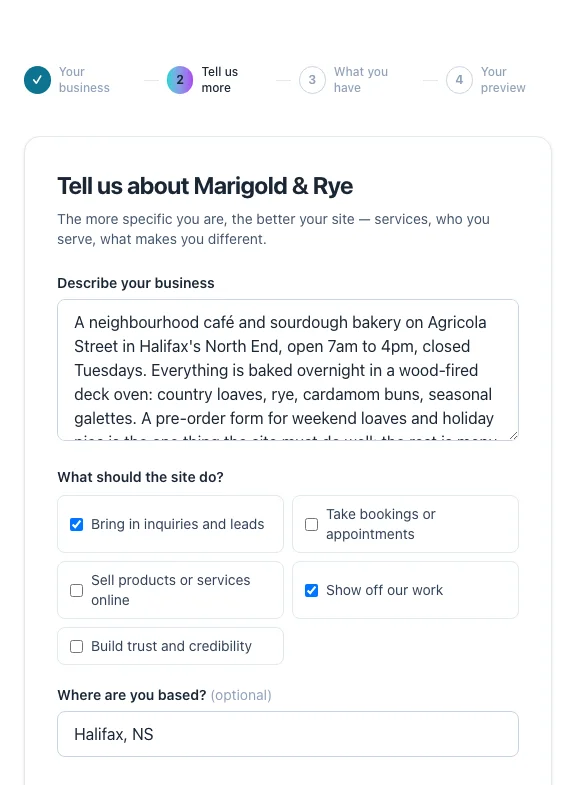
Four short screens: your name and trade, what you do and who you serve, anything you already have, and where to send your preview. No design decisions, no password, no card.
Already have your words? Paste them or upload a Word or PDF file, and choose: use them as written, polish them, or treat them as notes.Example
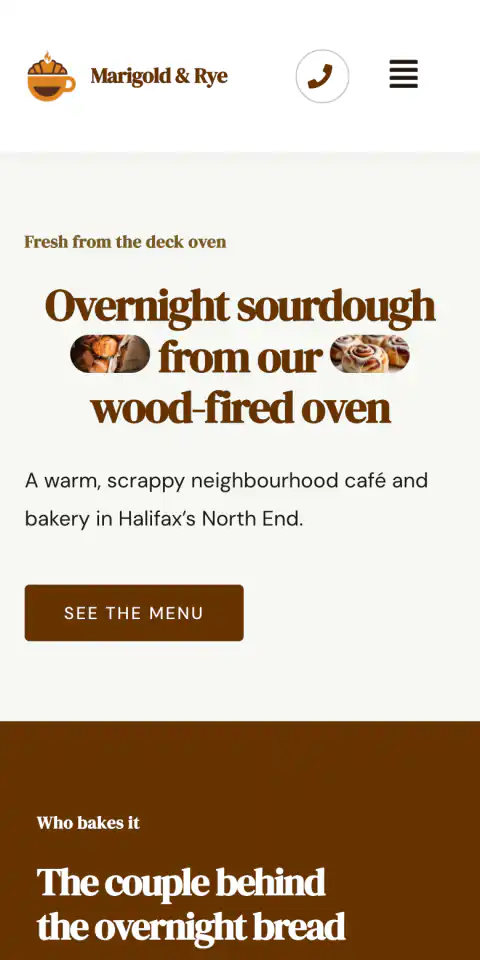
Marigold & Rye wrote: “A pre-order form for weekend loaves and holiday pies is the one thing the site must do well.” Their site gives pre-orders a page of its own, and the home page asks for weekend orders with a “Pre-order weekend loaves” button.
-
2
Bring what you already have
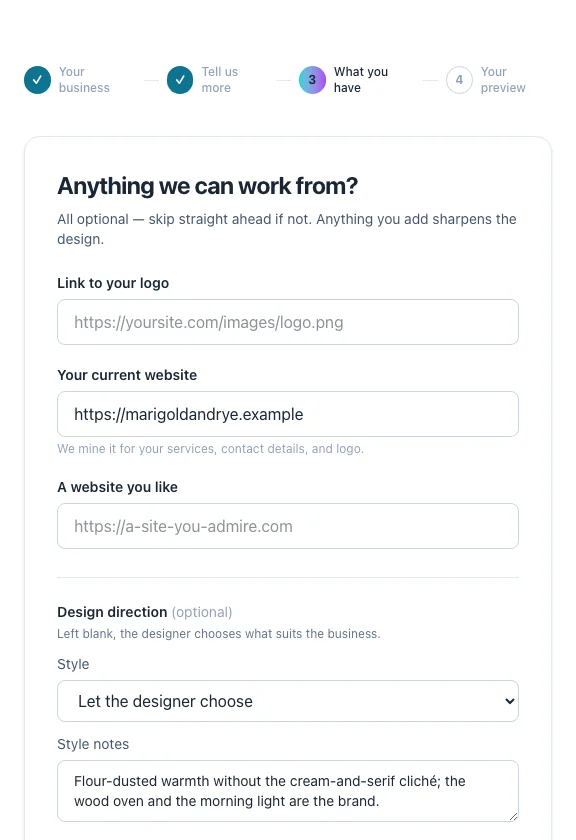
All optional. Give us your current website and we read it for your services, contact details, logo and colours. Like a particular style? Pick one, describe it, or leave it to the designer.
- Selling online? Bring your products across from a Shopify or WooCommerce export, on the plans with a store.
- Or give us your old shop's address and we read its products straight off it, for you to tick the ones to bring.
Example
Marigold & Rye left the style to the designer, with one note: “the wood oven and the morning light are the brand.”
-
3
Watch it build
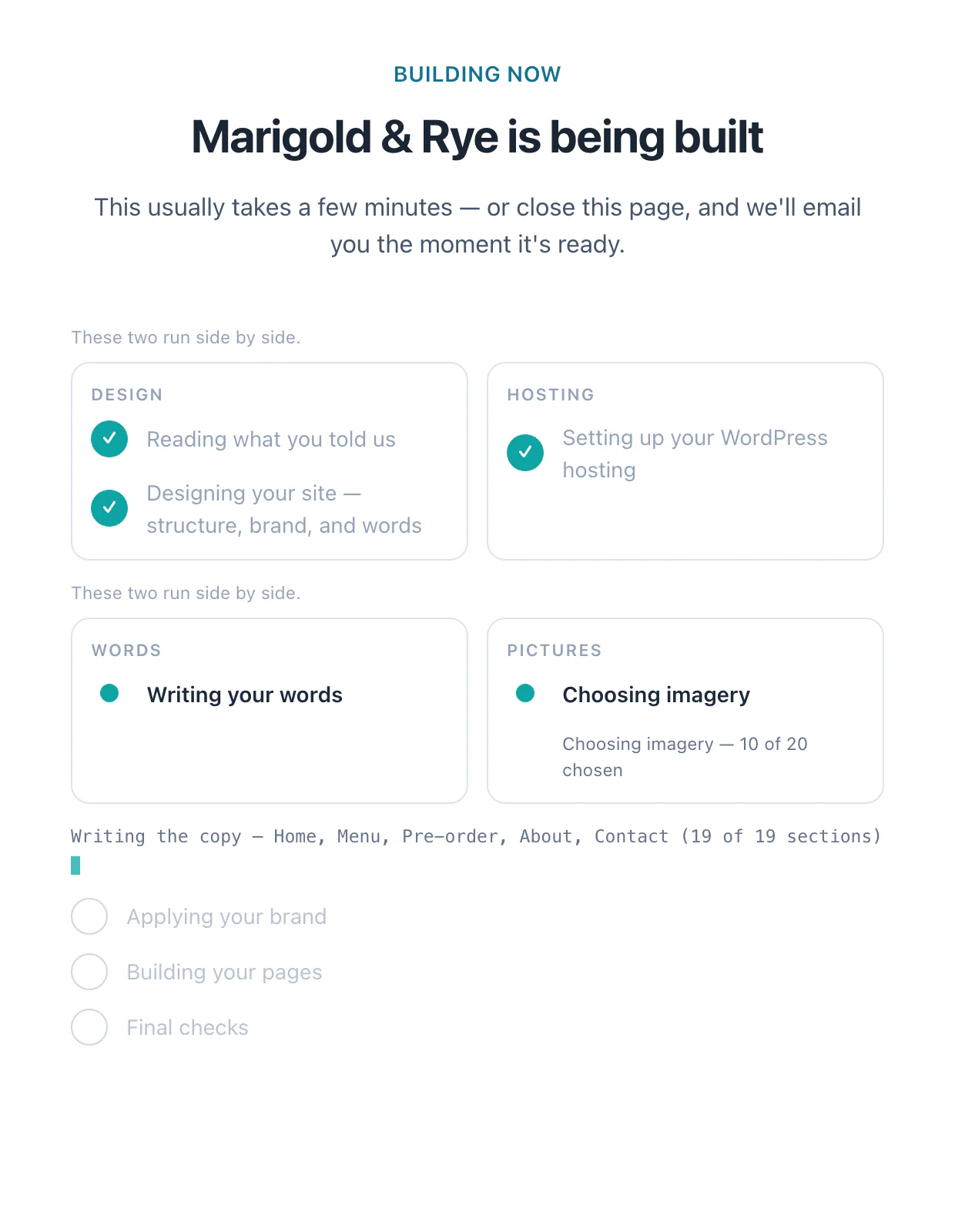
Your site comes together live: reading your brief, designing the structure, writing the words, choosing pictures, building each page. Most sites take a few minutes. Close the tab if you like — we'll email you the moment it's ready.
Example
Lines like these scroll past as a café's site is built: “Planned the Pre-order page — 3 sections”, “Choosing imagery — 10 of 20 chosen”.
-
4
Review your preview
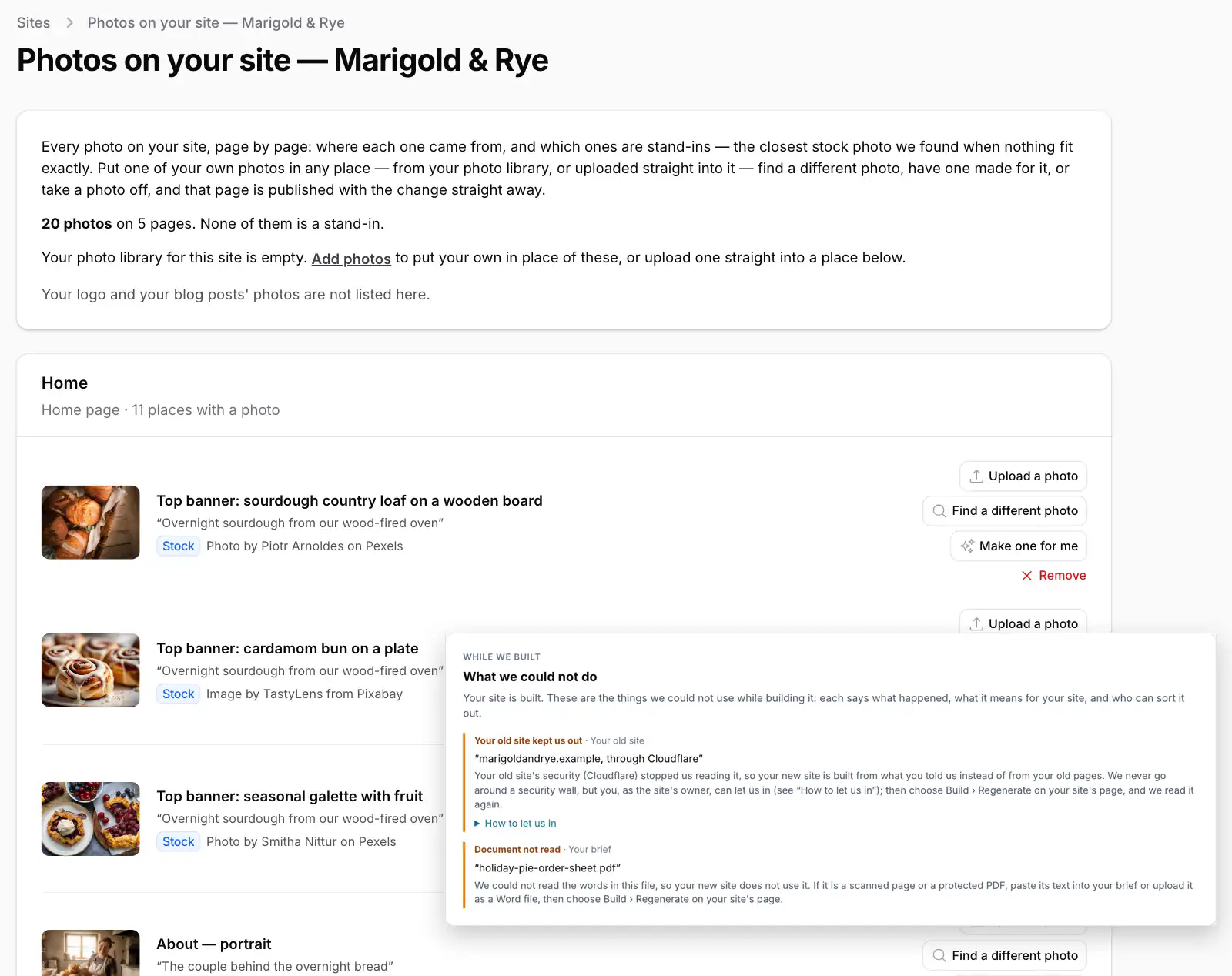
Click through a real WordPress site at its own preview address, and share it with anyone. If something couldn't be used — an old site that kept us out, a file we couldn't read — we tell you plainly, with what to do next.
Swap any photo for your own or ask for another, rebuild just the parts you want, and if a build ever fails, Retry is free.- Previews last 7 days; extend one a week at a time with one click.
Example
Marigold & Rye's preview has five pages: Home, Menu, Pre-order, About and Contact.
-
5
Choose where it lives, and go live
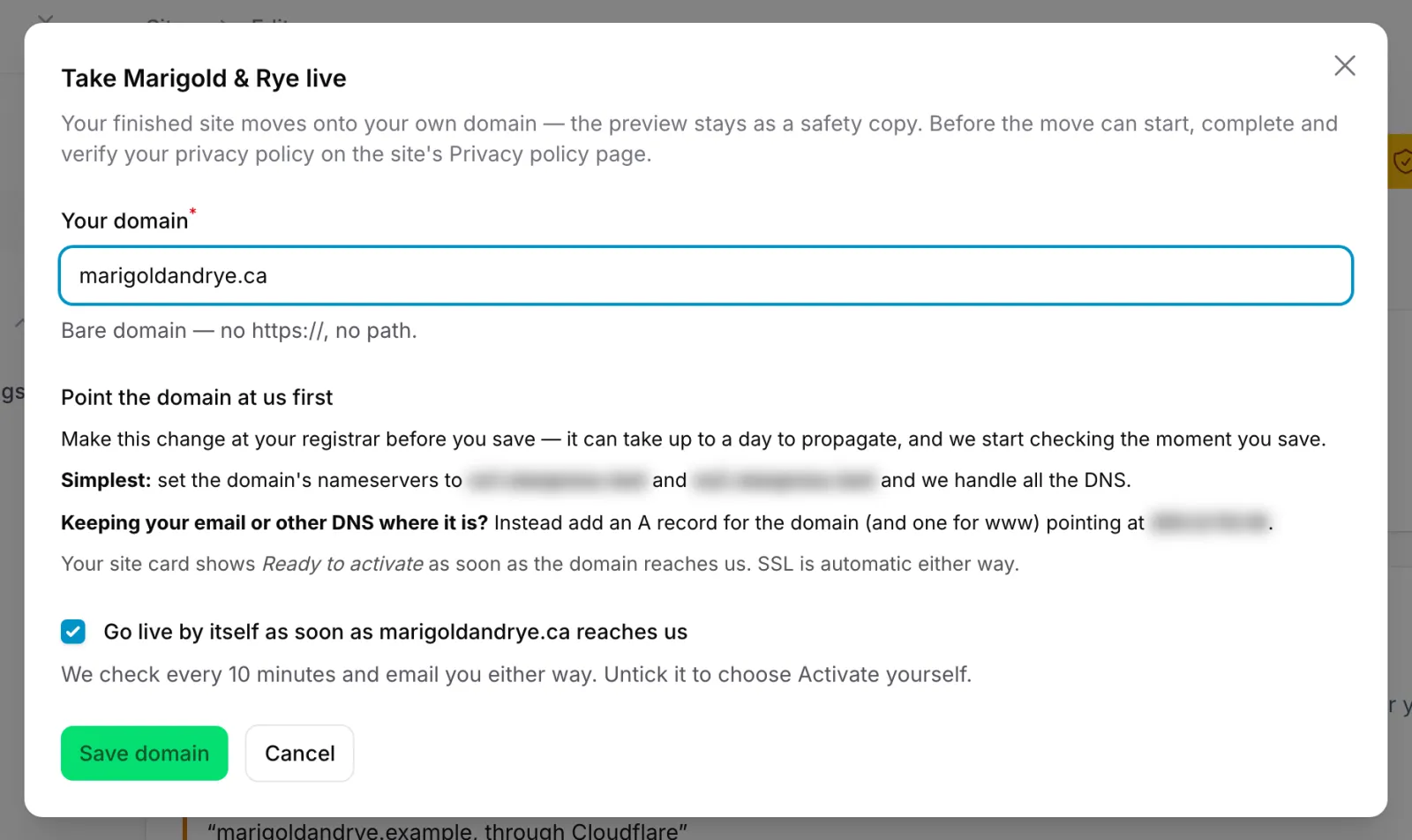
Pick a plan and enter your domain, then point it at us. We check every 10 minutes and can go live by ourselves the moment it arrives, with SSL included. Before launch, you review the privacy policy we've drafted for your site.
- Host it in Canada, Eastern USA or Western USA, close to your visitors.
Example
For Marigold & Rye: enter the domain, leave “Go live by itself” ticked, and the site moves across as soon as the domain points at us.
-
6
After launch, it's yours
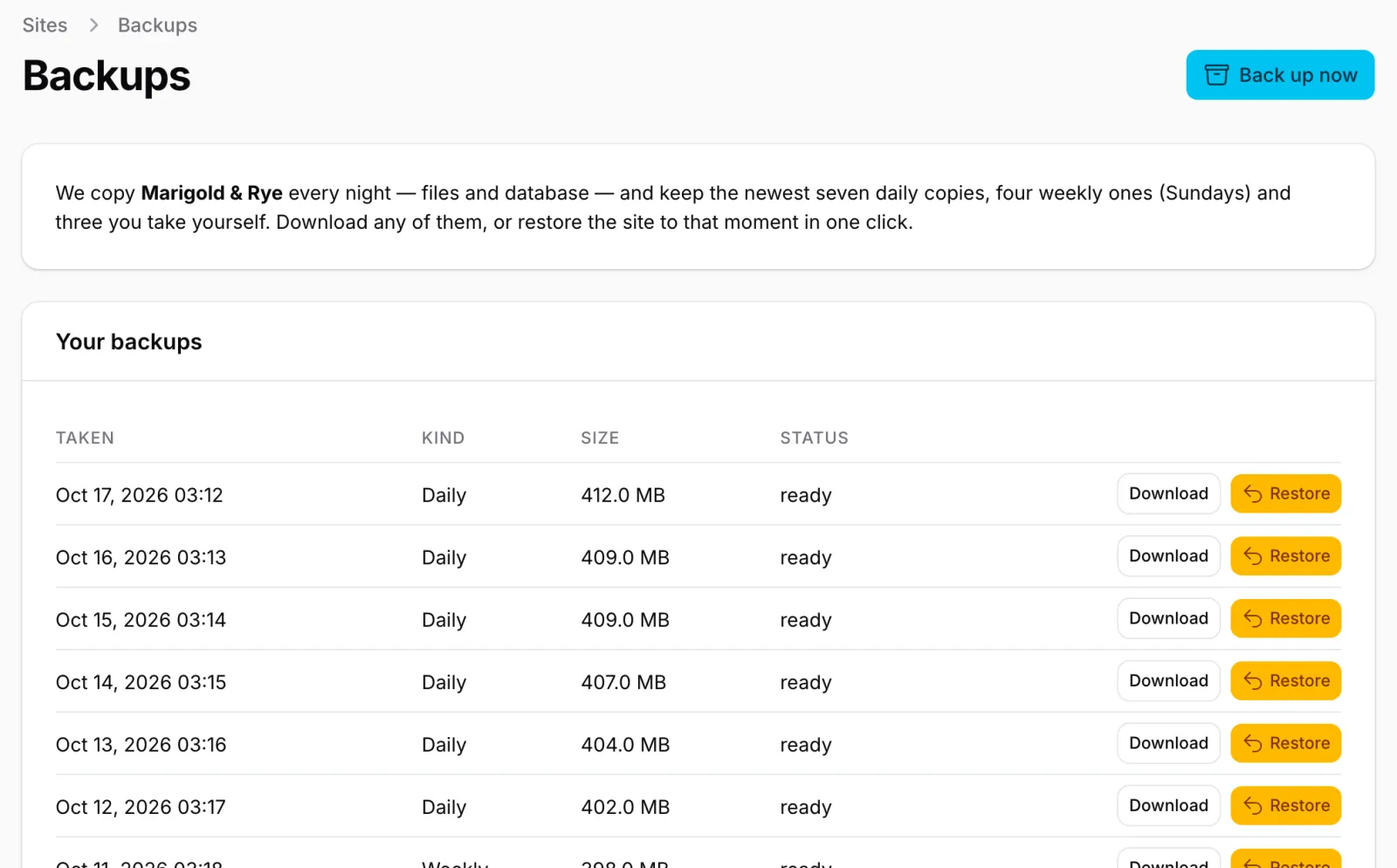
Edit any page in Elementor and download your whole site any time. We back it up every night — a week of dailies and a month of weeklies — and restore it in one click.
- Add a store, or booking links to the scheduling service you already use.
Example
Marigold & Rye's Pre-order page is an ordinary WordPress page: open it in Elementor and change this week's loaves yourself.
Building sites for clients?
Studio and Agency: client previews on your own domain, a branded sign-in, a client gallery and, on Agency, the API and MCP access for your AI assistants.
Questions people ask
- Is the preview really free?
- Yes. No card and no password — just an email address for the link. A preview lasts 7 days, and you can extend it a week at a time, up to four times.
- How long does it take?
- Usually a few minutes. The progress page shows each step as it happens, and we email you when your site is ready.
- Will my site look like everyone else's?
- No. Its structure is composed from its own brief, section by section — not poured into a fixed template with your name swapped in.
- Do you use AI images?
- Where a real stock photo fits, we use it. Where none does, we generate one and check it before it goes on your site. Swap any of them for your own whenever you like.
- Can I edit it myself?
- Yes, on any paid plan. It's a normal WordPress site, and you edit its pages in Elementor.
- What if I want to leave?
- On any paid plan, download your whole site as a zip and host it anywhere WordPress runs.
Your preview is a few minutes away.
Build my site freeNo card. No password. We'll email you the link.